> For the complete documentation index, see [llms.txt](https://pepper-scripts.gitbook.io/pepper-scripts-docs/llms.txt). Markdown versions of documentation pages are available by appending `.md` to page URLs; this page is available as [Markdown](https://pepper-scripts.gitbook.io/pepper-scripts-docs/tools-ui/pepper-loadingscreen.md).
# Pepper Loadingscreen
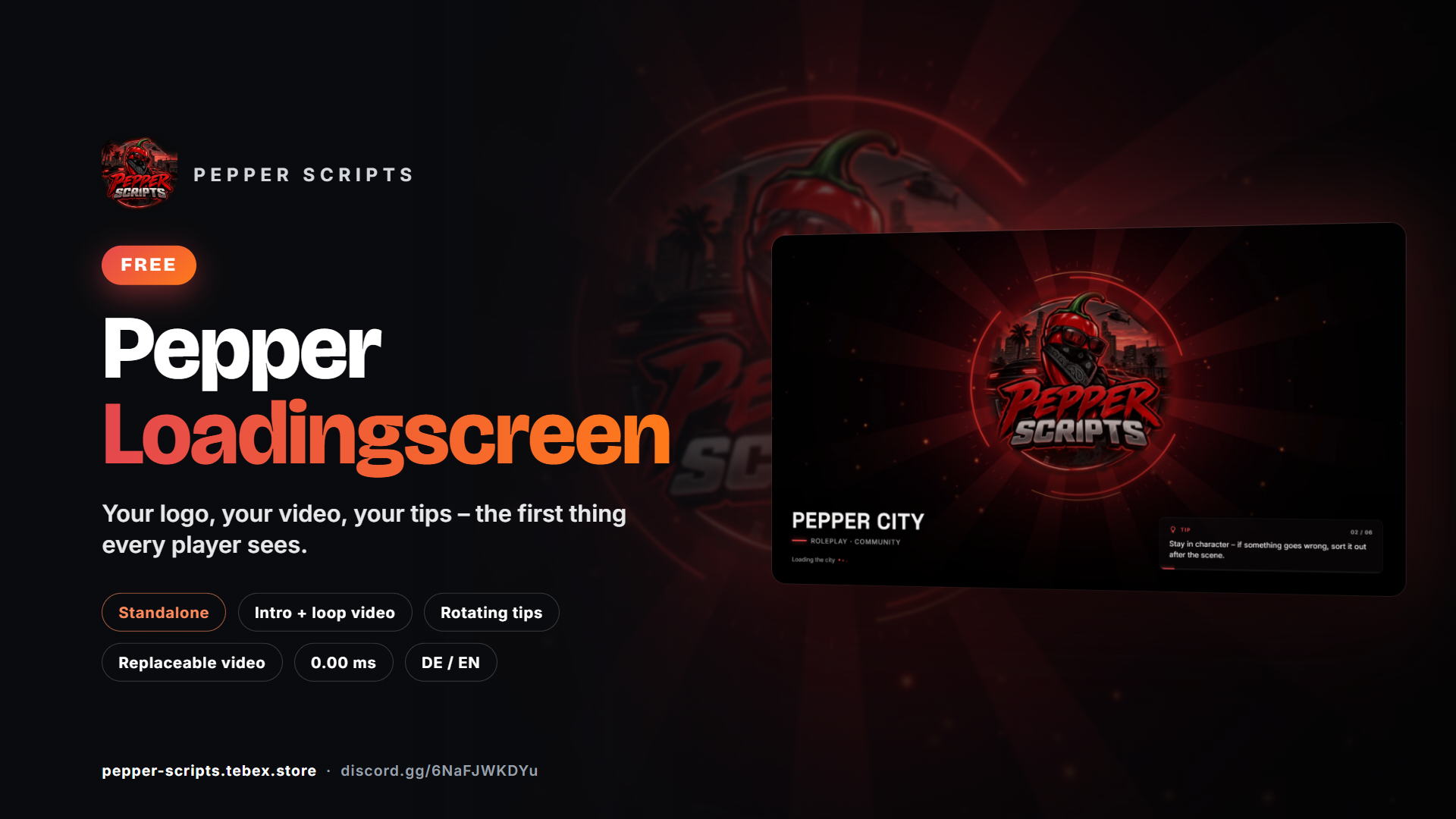
First impressions matter: with **Pepper Loadingscreen** a short intro video flows seamlessly into an endless loop, with your server name and rotating tips for new players below. Videos, texts and color are set in a single file – no framework, no dependencies.
{% hint style="info" %}
🧪 **Tested on our dev server:** Of course we test all scripts continuously on our own dev server “Pepper Scripts”.
{% endhint %}
{% hint style="success" %}
**Free** – get Pepper Loadingscreen at [pepper-scripts.tebex.store](https://pepper-scripts.tebex.store/)
{% endhint %}
### Features
* Intro video that flows seamlessly into a loop video – both replaceable, an image works too
* Server name, subtitle and loading indicator
* Rotating tips with counter and timer bar
* German & English, custom accent color, adjustable darkening, optional video sound
* Standalone, no dependencies, **0.00 ms** in game (no Lua scripts)
* Everything local – no external links or fonts
### At a glance
| | |
| ---------------- | ------------------------------------------------------- |
| **Version** | 1.0.0 |
| **Framework** | none required – works with ESX, QBCore, Qbox and others |
| **OneSync** | not required |
| **Dependencies** | none |
| **Performance** | 0.00 ms |
| **Distribution** | Open source (all files editable) |
### Installation
#### Requirements
| Requirement | Version |
| ------------ | ----------------- |
| FiveM server | any current build |
| Framework | none required |
#### Steps
{% stepper %}
{% step %}
**Download**
Download `pepper_loadingscreen` from the [Cfx.re Portal → Granted Assets](https://portal.cfx.re/assets/granted-assets).
{% endstep %}
{% step %}
**Copy**
Extract it to `resources/[pepper]/pepper_loadingscreen` – do not rename the folder.
{% endstep %}
{% step %}
**Remove other loading screens**
FiveM only shows one loading screen – remove any other one from `server.cfg` and `resources`.
{% endstep %}
{% step %}
**server.cfg**
Add the resource:
```cfg
ensure pepper_loadingscreen
```
{% endstep %}
{% step %}
**Customize and test**
Adjust `html/config.js` (see **Configuration**), restart the server and reconnect.
{% endstep %}
{% endstepper %}
{% hint style="info" %}
Loading screens are downloaded when connecting – after every change, restart the resource and **reconnect** to see it.
{% endhint %}
#### Multicharacter
By default FiveM closes the loading screen automatically. If your multicharacter script closes it itself (`ShutdownLoadingScreenNui`), uncomment this line in `fxmanifest.lua`:
```lua
loadscreen_manual_shutdown 'yes'
```
#### Updates
Before updating, back up `html/config.js` and your own videos from `html/media/`, and put them back afterwards.
### Configuration
Everything is set in **`html/config.js`**. After changes: restart the resource and reconnect.
#### Options
| Option | Default | Description |
| -------------------- | -------------------- | --------------------------------------------------------- |
| `locale` | `"de"` | Which texts from `locales` are used: `"de"` or `"en"` |
| `accentColor` | `"#e5484d"` | Accent color (lines, dots, tip bar) |
| `video.intro` | `"media/intro.webm"` | Plays once – WebM or image, `""` = off |
| `video.loop` | `"media/loop.webm"` | Loops afterwards – WebM or image, `""` = off |
| `video.poster` | `"media/poster.jpg"` | Still image until the video plays or if it fails to load |
| `video.sound` | `false` | Video sound on/off |
| `video.volume` | `0.3` | Volume 0–1 |
| `video.shade` | `0.25` | Darkening 0–1 for better readability |
| `tips.enabled` | `true` | Tips on/off |
| `tips.interval` | `8` | Seconds per tip |
| `tips.shuffle` | `false` | Random order |
| `locales.` | – | Server name, subtitle, loading text and tips per language |
#### Your own video
{% stepper %}
{% step %}
**Format**
Use **WebM (VP9 or VP8)** – FiveM can **not** play MP4 with H.264. Recommended: 1920×1080, 30 fps, ideally below 10 MB (players download the files when connecting).
{% endstep %}
{% step %}
**Convert**
Convert e.g. with HandBrake (preset "WebM") or ffmpeg:
```bash
ffmpeg -i video.mp4 -c:v libvp9 -b:v 5M -an loop.webm
```
{% endstep %}
{% step %}
**Add**
Put the file into `html/media/` and set the path in `config.js`, e.g. `loop: "media/my-video.webm"`.
{% endstep %}
{% endstepper %}
{% hint style="info" %}
**Only one video?** Set `intro: ""` and use your video as `loop`. For a seamless transition, the last frame of the intro should match the first frame of the loop. An image (`.jpg`, `.png`, `.webp`) works instead of a video as well.
{% endhint %}
### FAQ
| Problem | Solution |
| ---------------------------- | --------------------------------------------------------------------------------------------------------------- |
| Video black / missing | The file is MP4 or the path is wrong – use WebM and check the path in `config.js`. |
| Old loading screen shows | Remove the other loading screen from `server.cfg`/`resources` and clear your FiveM cache. |
| Changes not visible | Restart the resource and **reconnect** – loading screens are downloaded on connect. |
| Closes too early or too late | See **Multicharacter** – uncomment `loadscreen_manual_shutdown` if your multicharacter script closes it itself. |
Does it work with my framework?
Yes. The loading screen is standalone and works with ESX, QBCore, Qbox and any other framework.
Does it cost performance?
No. There are no Lua scripts – 0.00 ms in game.
Can I use an image instead of a video?
Yes. Set an image path (`.jpg`, `.png`, `.webp`) as `loop` and `intro: ""`.
### Changelog
#### 1.0.0 – 2026-09-26
**Initial release**
* Intro video flowing seamlessly into a loop video (both replaceable, image possible)
* Server name, subtitle and loading indicator
* Rotating tips with counter and timer bar
* German and English, accent color, darkening, video sound